Injury prevention · anywhere you train
Film the set. Watch it back on yourself.
Prop your phone, train, and get the set back rebuilt on a 3D figure you can orbit, slow down and stop on any rep — with every fault named and the reps it showed up on.
- No markers
- No coach in the room
Your coach isn't in the room.
Your athletes train in hotel gyms, home gyms and outdoors — often a city or a country away from their coach.
Form breaks down under load. Asymmetries compound quietly for weeks. By the time anyone sees it, it's an injury.
How a session runs
01 / Plan
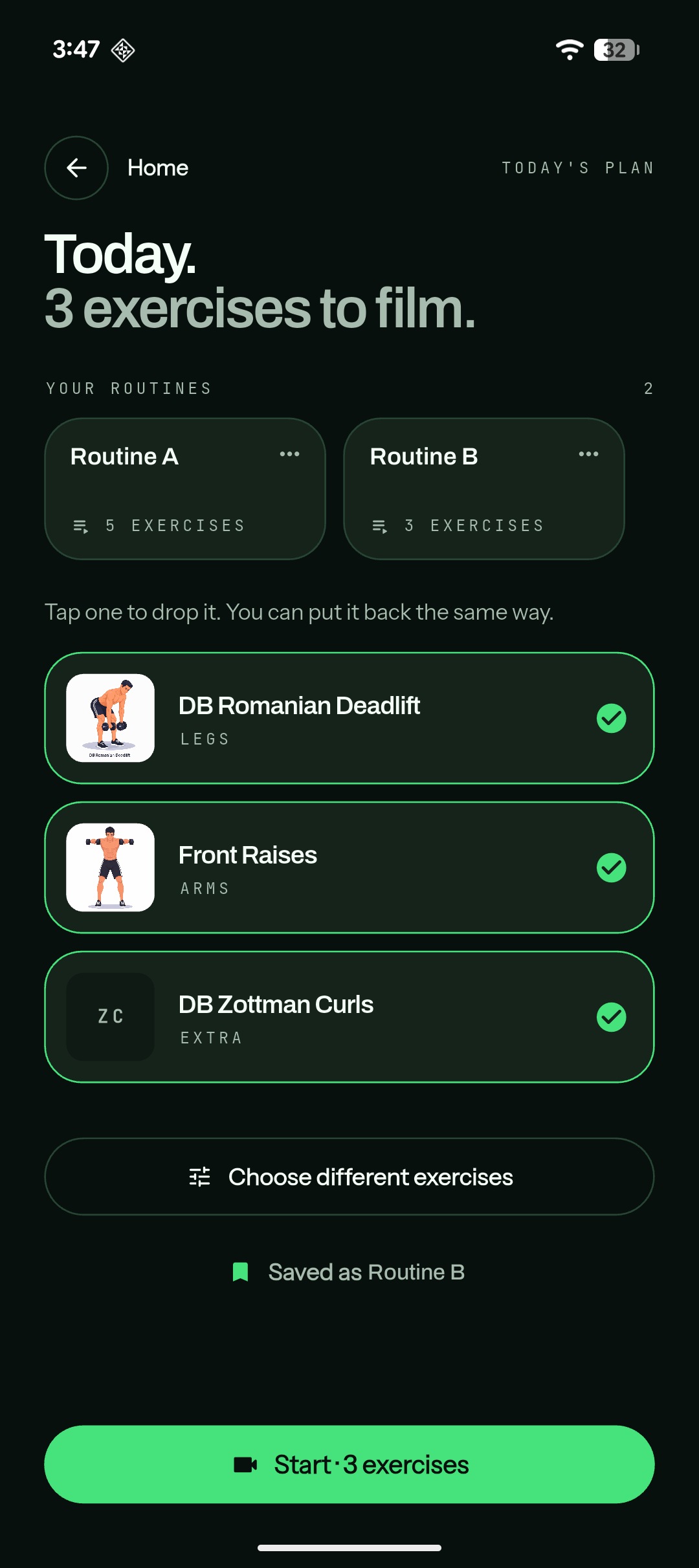
Open today's plan.
Saved routines along the top, exercises below. Tap to drop one, tap to put it back.
02 / Film
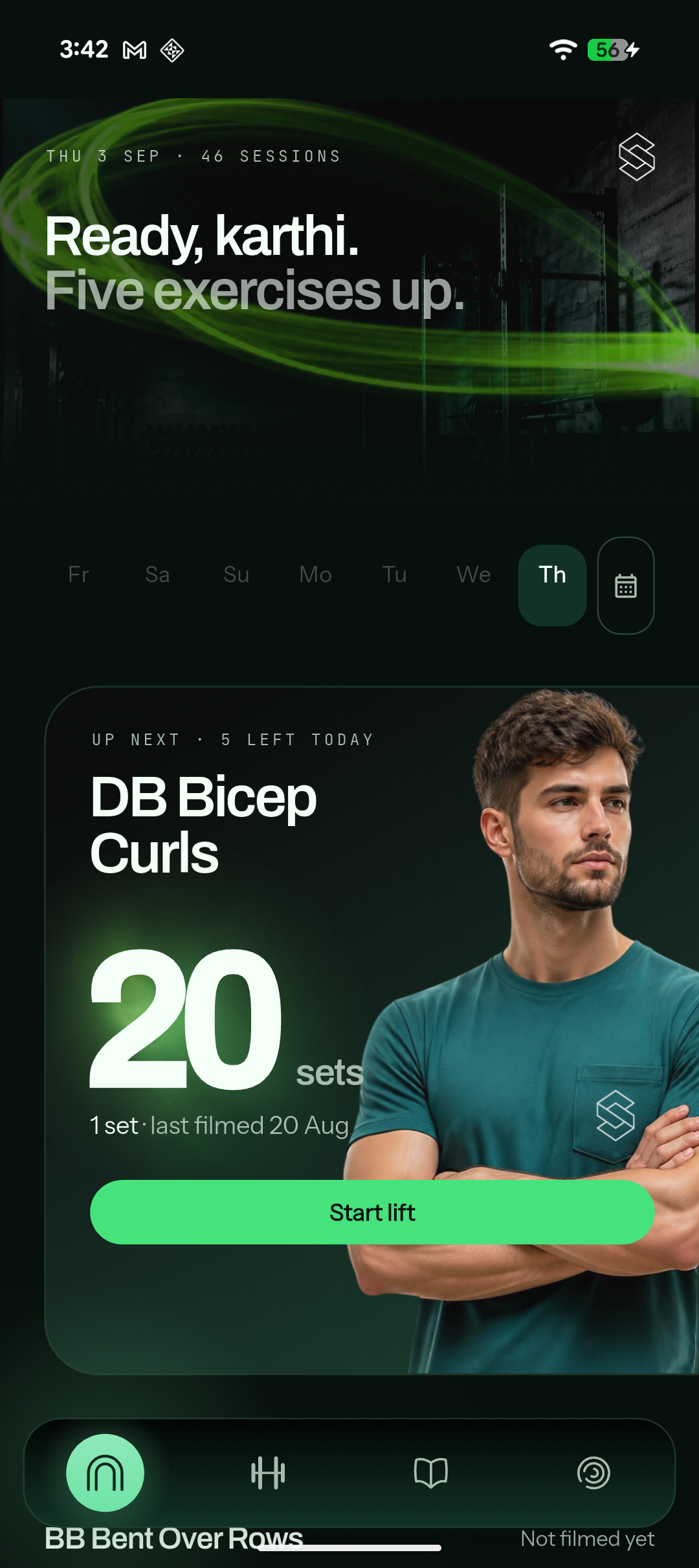
Hit start and train.
It films each exercise in order and counts reps from the movement. Nothing to log between sets.
03 / Get it back
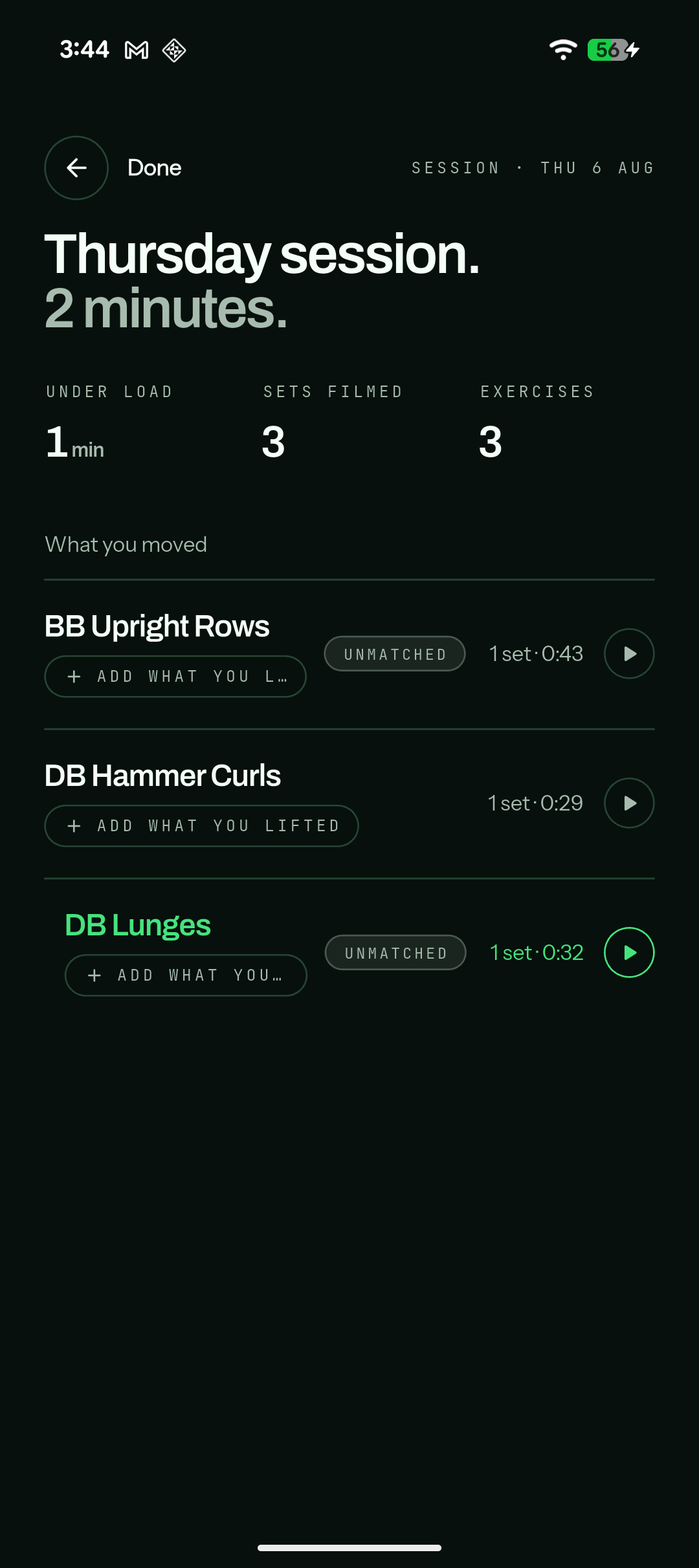
Get the session back.
Time under load and sets filmed up top. One row per exercise, each with its clip.
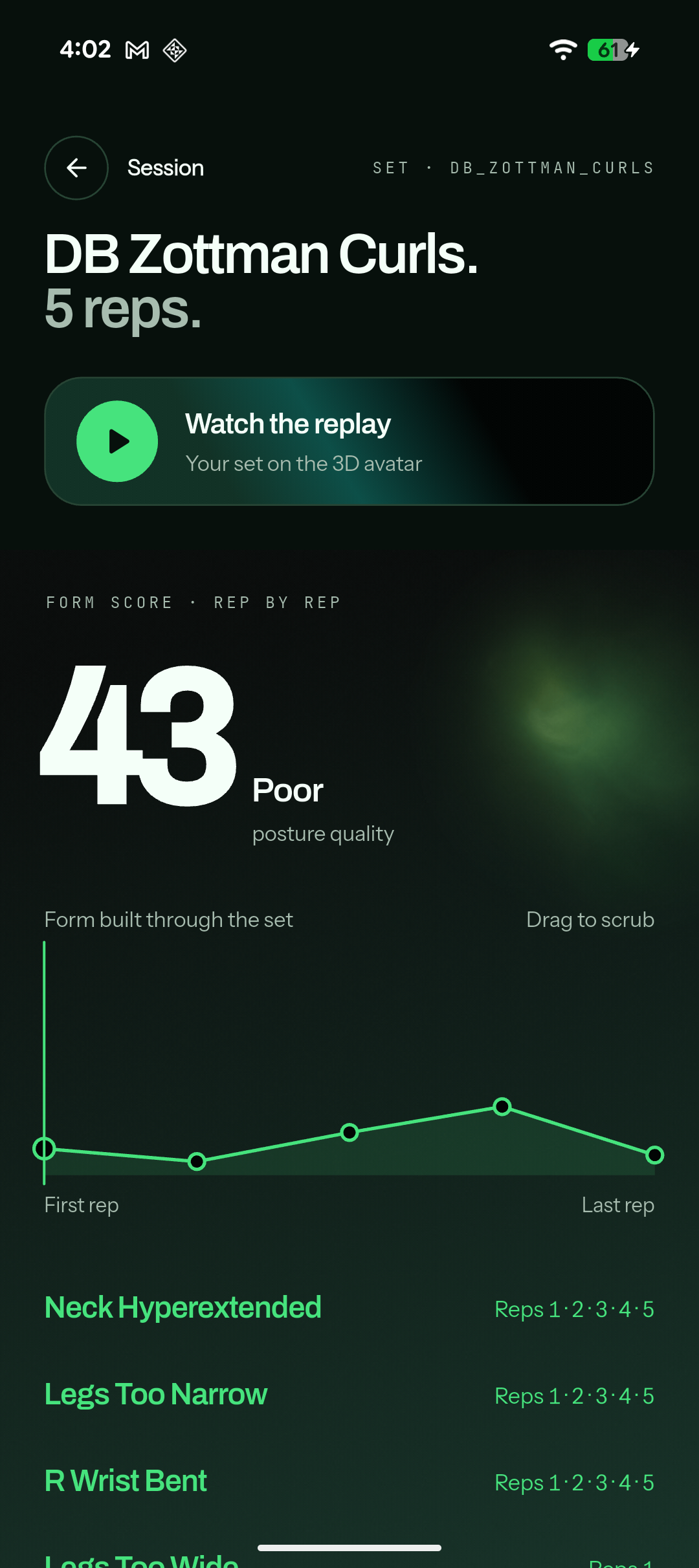
Not a grade. A list of what went wrong, and when.
Every filmed set gets a posture score out of 100 with a word attached. Underneath it, form built through the set — a point per rep, so you can see whether it held up or fell apart under fatigue. Drag to scrub to any rep.
Then the faults. Each one listed with the exact reps it appeared on. That's the part you can act on — a score tells you something was wrong, the fault list tells you what to change.
- Neck hyperextended Reps 1 · 2 · 3 · 4 · 5
- Legs too narrow Reps 1 · 2 · 3 · 4 · 5
- Right wrist bent Reps 1 · 2 · 3 · 4 · 5
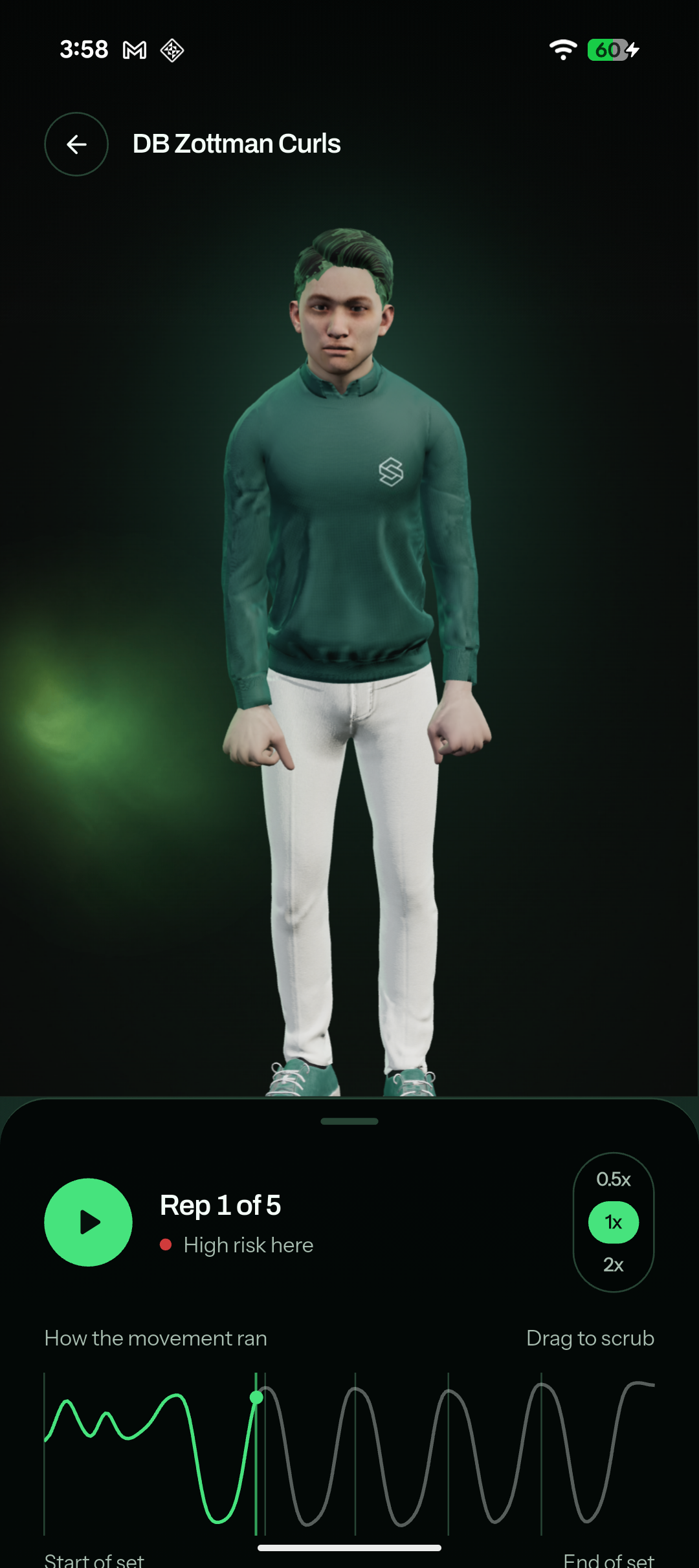
Nothing here is video.
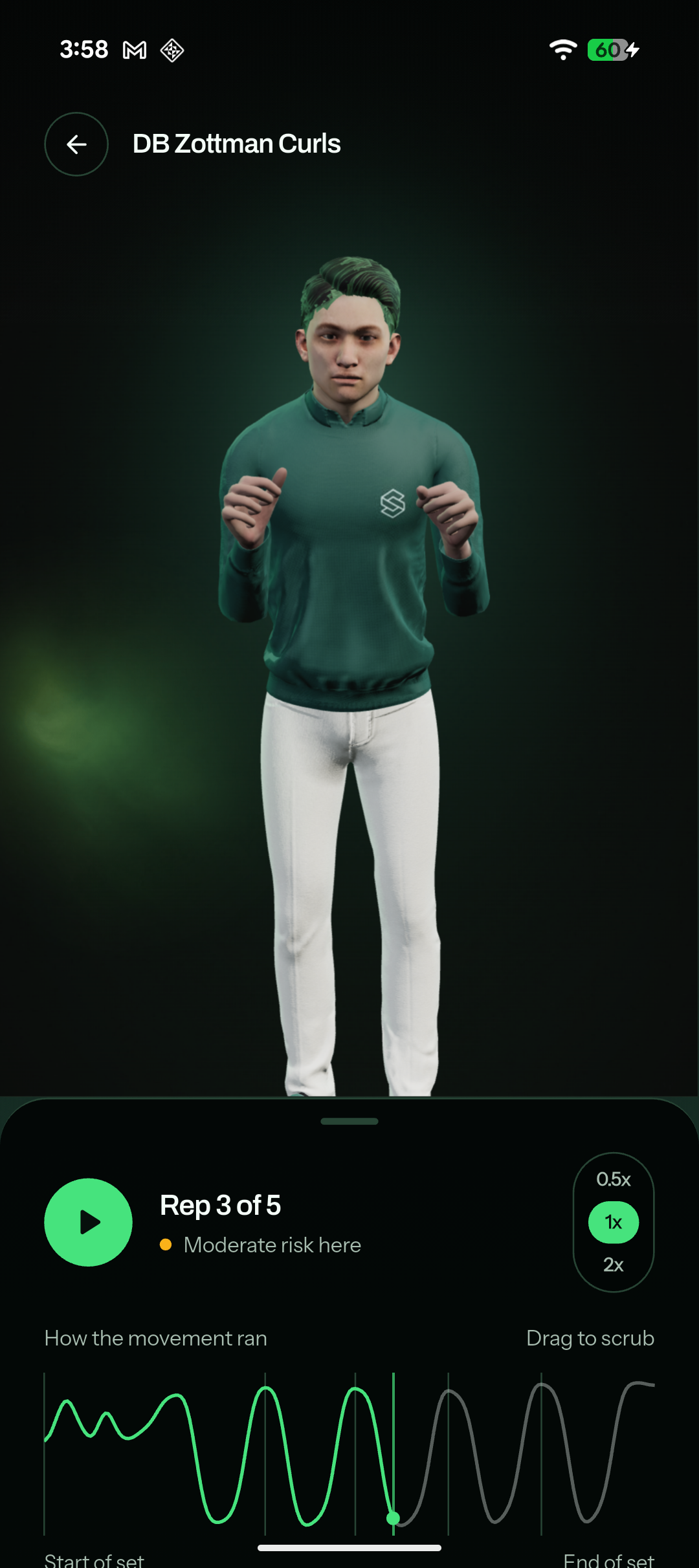
The movement is rebuilt on a 3D figure. Orbit it, run it at half speed, and stop on any rep — including the ones you couldn't see from where the phone was. Each rep carries its risk level. The wave underneath is the whole set, one hump per rep, with the boundaries marked.
- Green · fine
- Amber · moderate
- Red · high
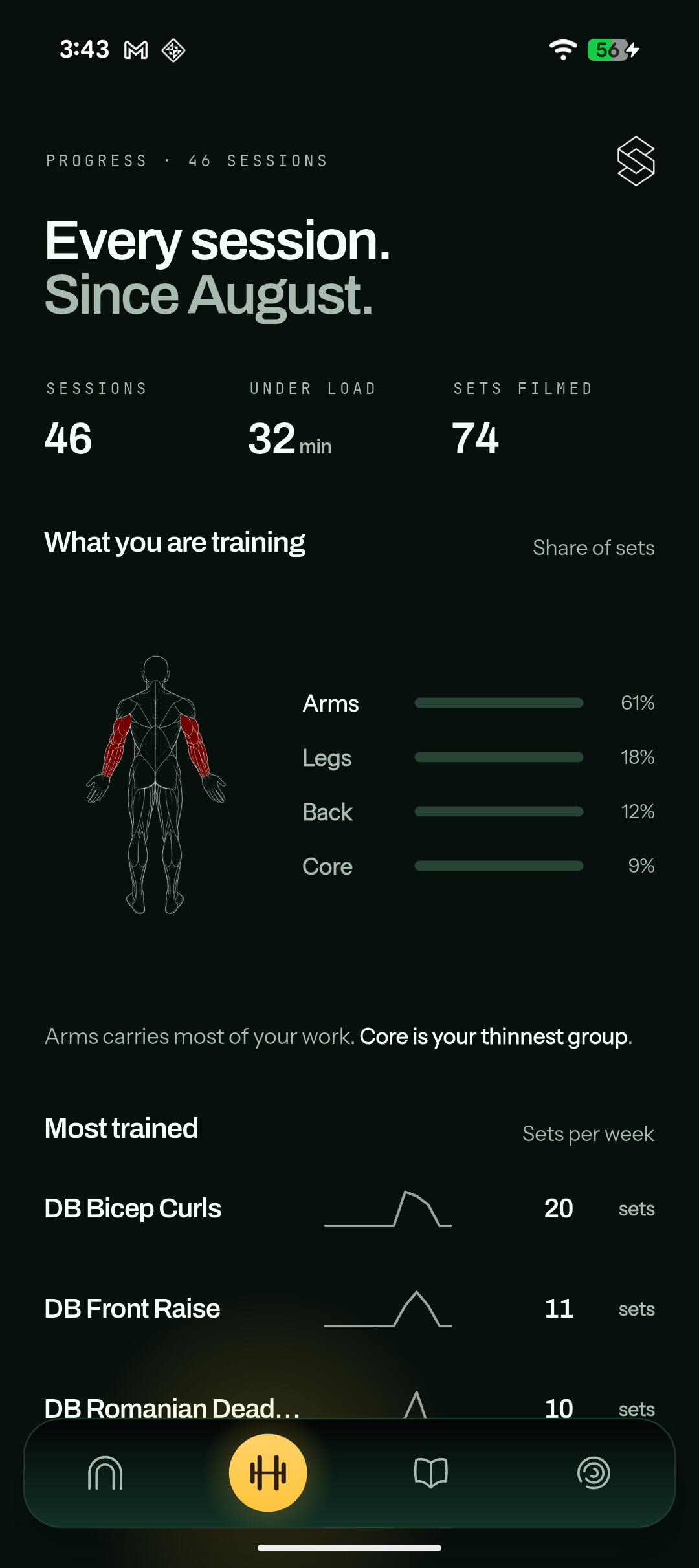
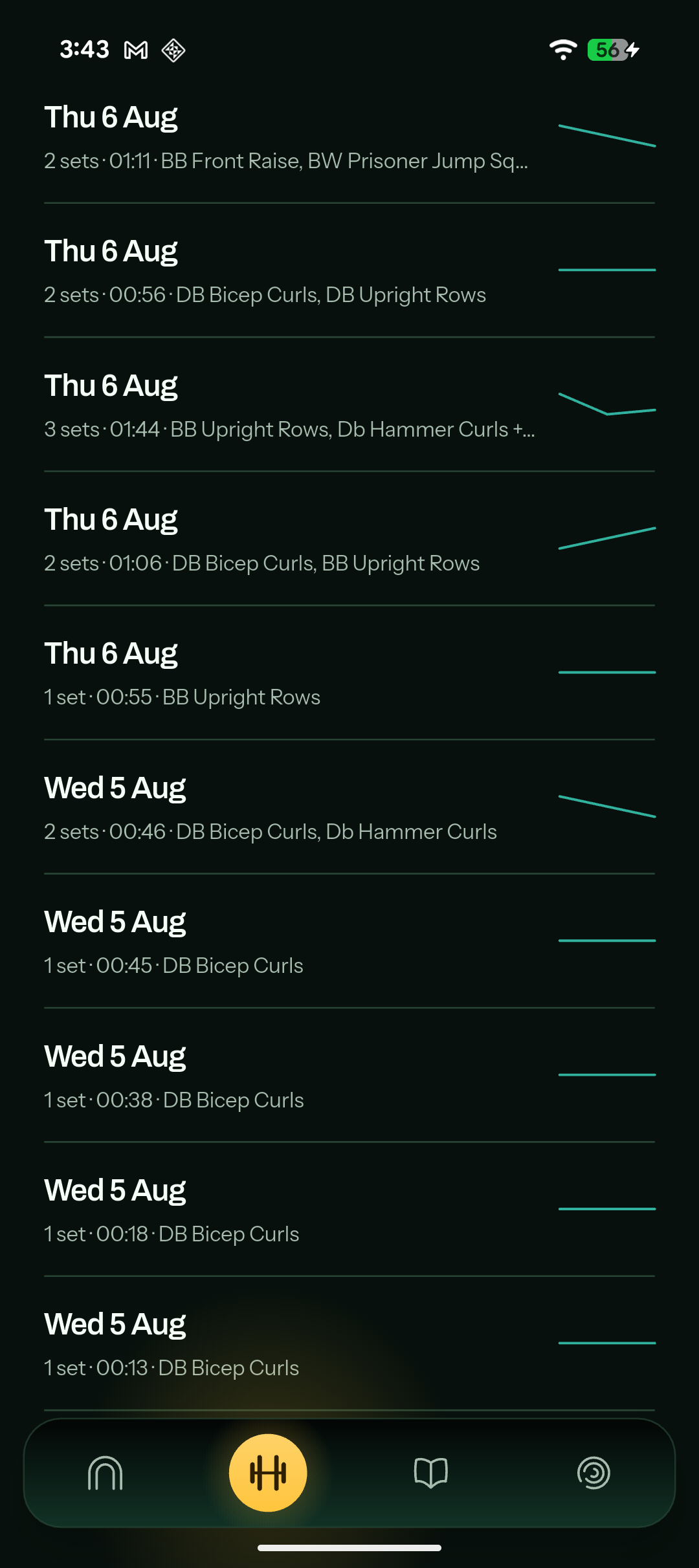
Sessions, time under load, sets filmed.
A body map fills in the muscles you've actually worked, with each region's share of your sets beside it — and a line naming your biggest and thinnest group. Most trained lists your movements with sets per week. Below that, every session you've filmed, grouped by month, each row showing the date, sets, time under load and the exercises in it.
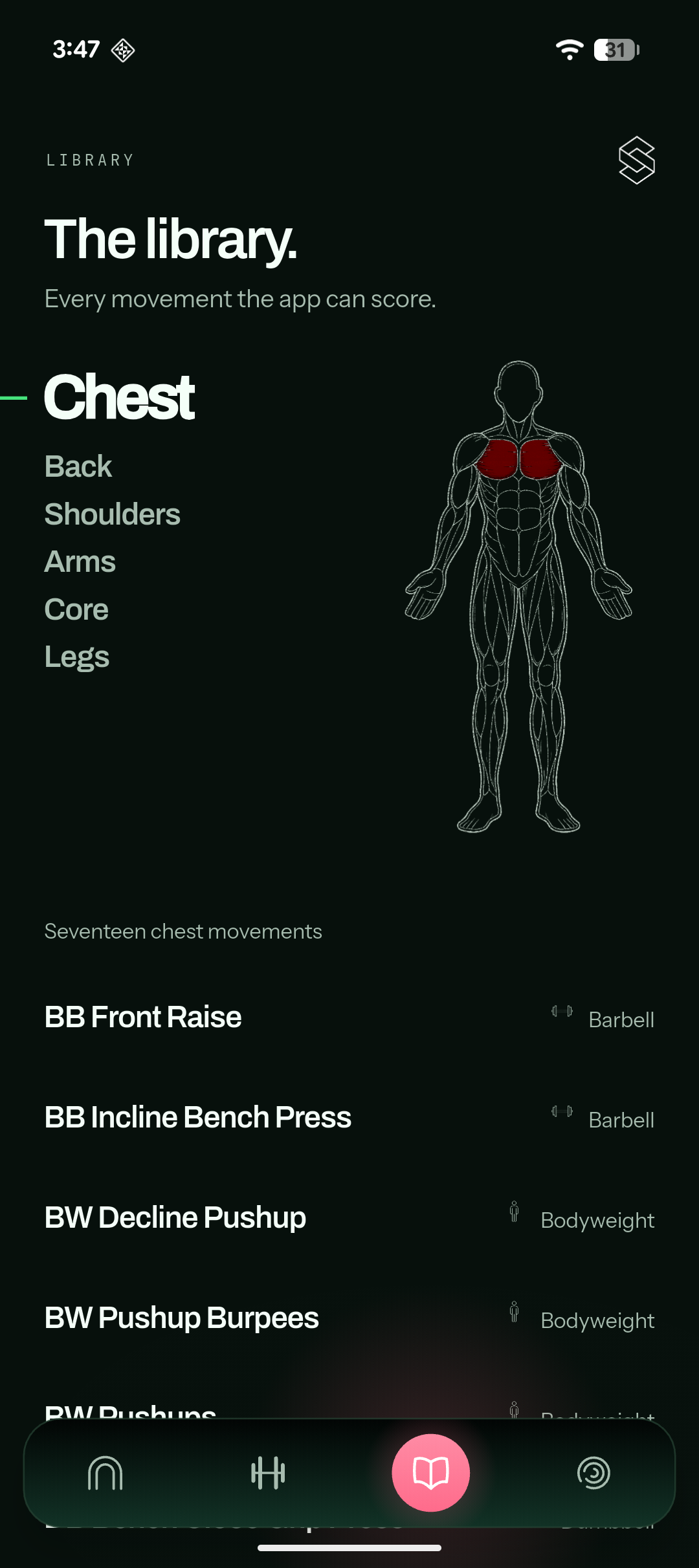
Every movement the app can score.
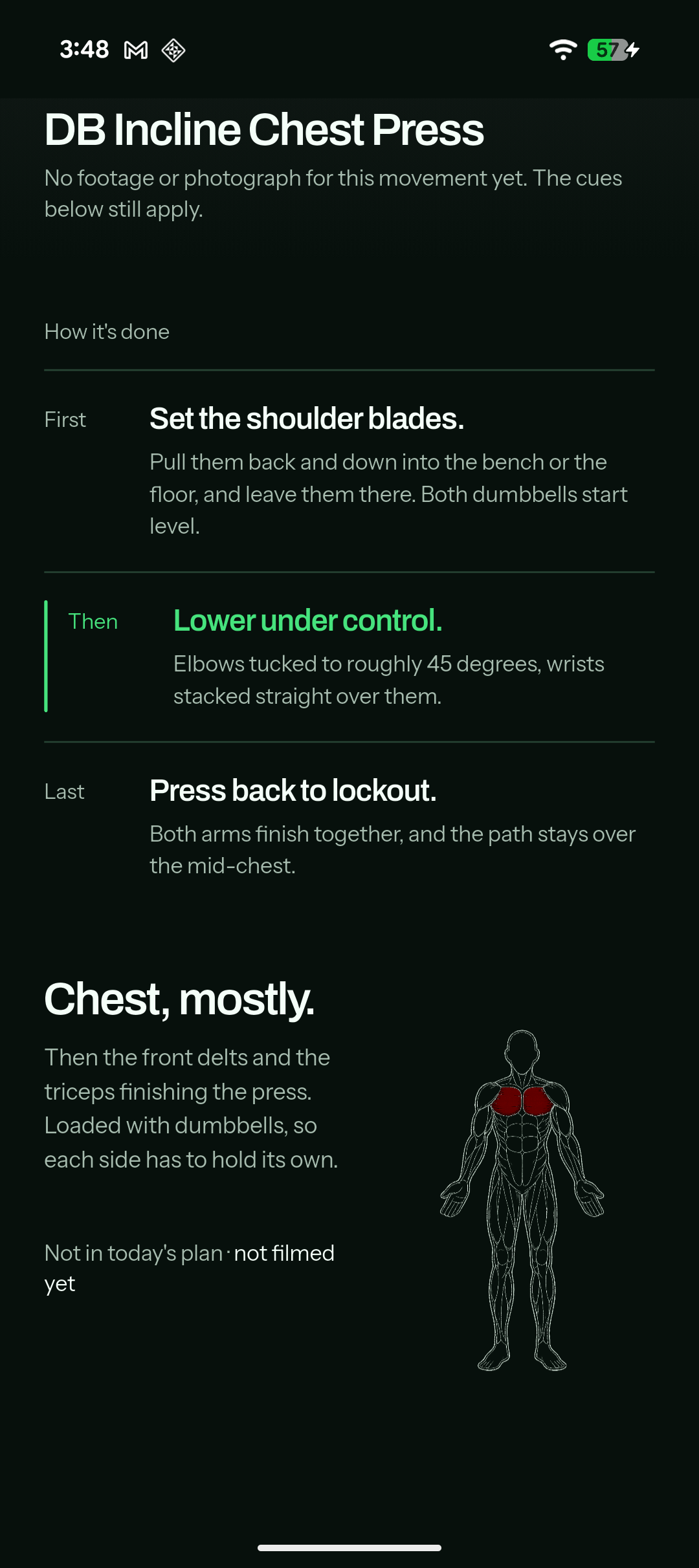
Six groups, each movement tagged barbell, dumbbell or bodyweight, with the body render highlighting whichever group you're in. Open one and you get how it's done in three steps — first, then, last — with the middle one highlighted, because it's the part most people get wrong. Plus which muscles it works and whether you've filmed it yet.
What it won't pretend to know.
Smartan tells you when it isn't sure, on both products. It's the same principle in the clinical system, where a gap in a record is never shown as a finding.
Tagged, not guessed
A clip it can't place is marked Unmatched.
It still uploads, and it still counts as work done.
No invented numbers
A movement outside the library says so.
You get the set, without a score the app can't stand behind.
Same injury prevention. Two different rooms.
An athlete who trains in a Smartan facility and an athlete on the road need the same thing measured. What changes is where the camera is.
In your facility
Cameras installed on the floor. Athletes do nothing at all — nothing to prop up, nothing to tap in. Everyone gets covered, every session, without anyone remembering to.
Anywhere you train
The athlete's own phone becomes the camera. Hotel gyms, home gyms, outdoors, or a squad spread across six cities. Deliberate rather than automatic — they film the set they care about, and get it back rebuilt on a 3D figure with every fault named.
You're on this page
Recovering from an injury or surgery is a different problem, and gets a different product. Smartan Rehab is prescribed by a physiotherapist and reviewed in clinic.
Facilities usually run both — the floor system for everyone who trains on site, the app for athletes who travel.